 Parlavoz
A translator at the counter, one customer after another
For the person behind the desk: a pharmacy, a hotel reception, a clinic, a phone repair shop. The customer doesn’t need the app; the counter has it.
Free to download · No account · No ads
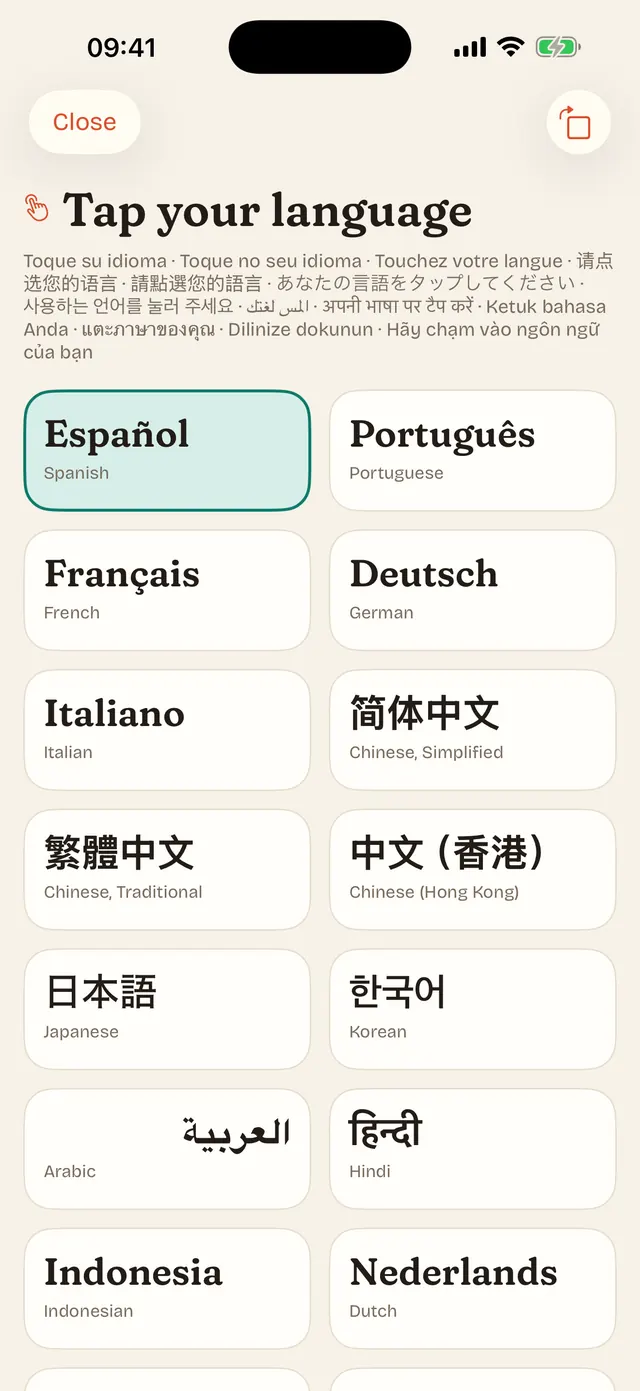
How counter mode works
- The staff opens counter mode on the shop’s iPhone or iPad.
- The customer taps their language on a grid where each one is written in its own script.
- They talk across the counter, each reading their half of the screen.
- Next person wipes the conversation. Nothing goes to the history.
The tabs and settings are hidden, and leaving counter mode takes a two-second press, so a curious customer can’t wander into the app. For a tablet that stays on the desk, iOS’s Guided Access locks it to Parlavoz.
A shortcut for staff
The link parlavoz.com/counter opens Parlavoz straight in counter mode. Save it on the staff device or write it to an NFC tag under the desk. Don’t print it on a QR code facing customers: they don’t need the app. For the customers, print our “We speak your language” sign.
Why it suits a small business
- No per-minute bill. Phone interpreting services usually charge per minute. Counter mode is part of Pro, a yearly subscription.
- Private by default. Conversations are processed on the device and erased with each customer.
- Works with no Wi-Fi. Useful in a market stall, a basement clinic or a site office.
How it compares with a paid interpreter, in real per-minute rates: what an interpreter costs a small business.
In healthcare, counter mode helps with the front desk: check-in, directions, payment. Clinical conversations with a patient who doesn’t speak English need a qualified interpreter.
All features
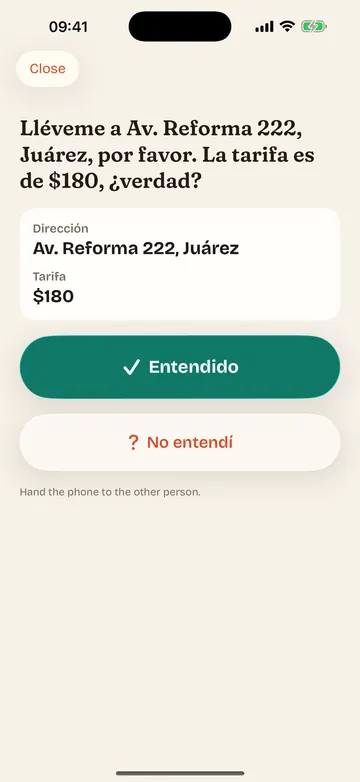
Face-to-face conversationFree
The screen splits in two, Parlavoz speaks for you, and the other person taps “Understood”.
See how it works →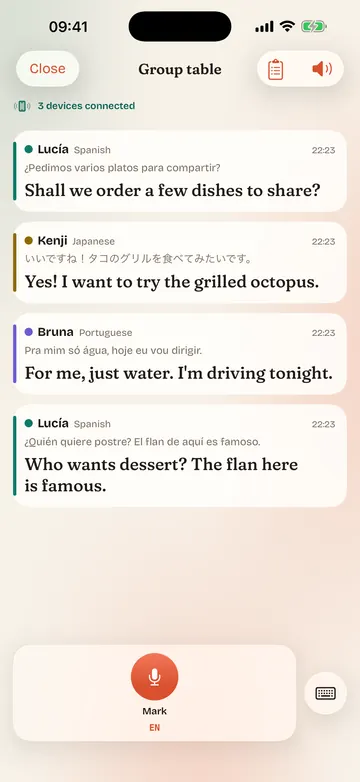
Group tablePro
Up to eight phones in one conversation. Each person reads and hears it in their language.
See how it works →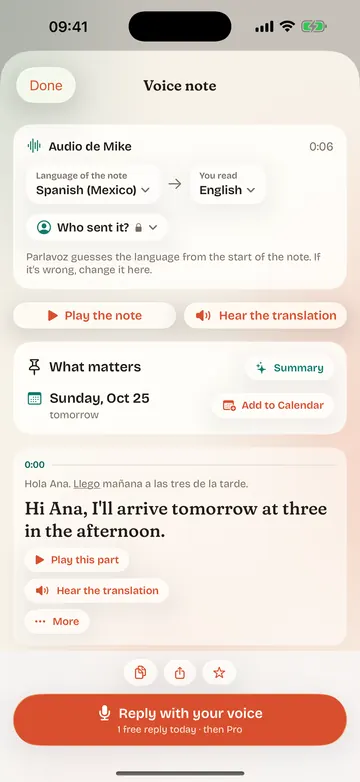
Voice notesFree
Share a voice note from your chat app, read it in your language and answer with your voice in theirs.
See how it works →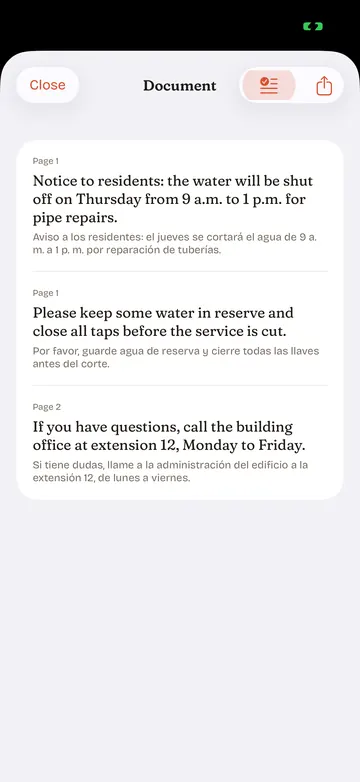
Screenshots, photos and PDFsFree
The group chat, the school letter, the lease. Share it and read it in your language.
See how it works →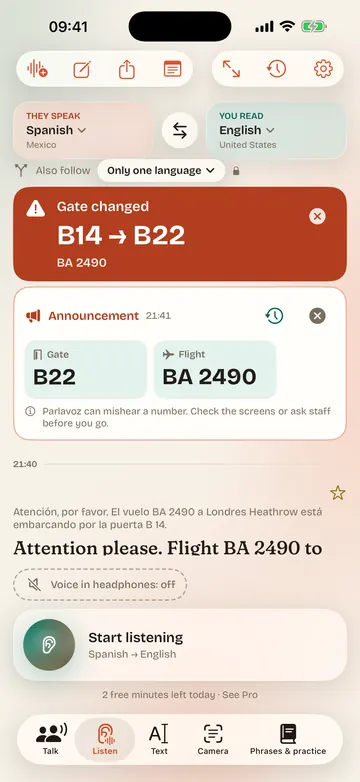
Listen: live captionsFree
A guide, a class, the TV or the gate announcement, captioned in your language.
See how it works →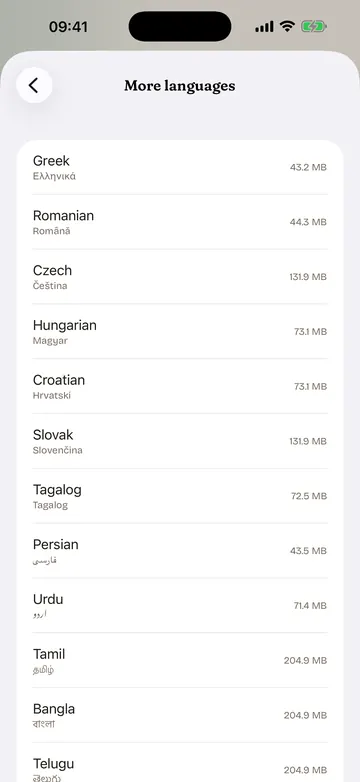
Works offlineFree
Translation and speech recognition run on the phone, with no roaming and no data.
See how it works →