 Parlavoz
One table, everyone in their own language
A dinner with the in-laws, a parent meeting at school, a work crew with three languages. Each person uses their own phone and the conversation arrives in their language.
Free to download · No account · No ads
How the table works
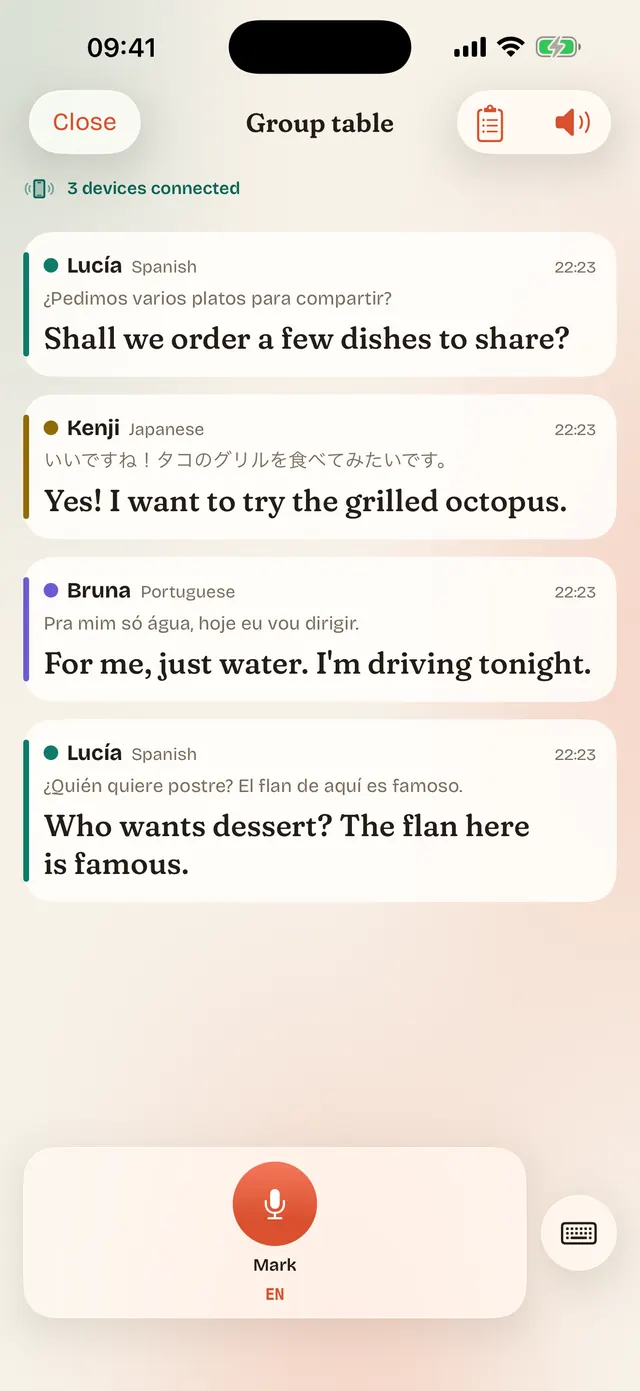
One person opens the table and the others join with their own phone. Each person says their name and picks their language. When someone talks, the sentence reaches every phone already translated: Lucía speaks Spanish, Kenji reads it in Japanese and Bruna in Portuguese, at the same moment.
- Up to eight phones. Each one shows who is talking, which language everyone speaks and who just came in.
- Change your language on the fly. If someone would rather read in English than in Portuguese, they change it at the table and everyone else’s phone keeps working.
- Only the host needs Pro. Guests join for free.
Nearby: a QR code, no internet
At the same table, guests scan the host’s QR code with the camera (or type a 4-digit code). The phones talk to each other directly over Wi-Fi and Bluetooth. It works on a ship, in a basement or in a village with no signal.
The code only works while the table is open, and the phones don’t announce anyone’s name over the air.
Far away: a link by any app
Someone can’t be there? Send them a link by WhatsApp, Messages or mail. They tap it, see “Ana’s table” before entering, and wait if the host hasn’t opened it yet. This part does use the internet. What’s said goes through a small relay of ours, sealed end to end with a key that only the people with the link have, so the relay can’t read it and keeps nothing.
Good uses we’ve seen
- A family dinner where half the table speaks Spanish and the other half English.
- A parent-teacher meeting with a parent who speaks Vietnamese.
- A small crew on a job site with English, Spanish and Portuguese speakers.
- A tour guide with visitors who each read the explanation in their own language.
Microsoft Translator used to have a multi-device conversation. Its iPhone app retired it in June 2026 (version 26.7.1: “The multi-device conversation feature has been retired”). If you relied on it, the group table does the same job on iPhone, and the nearby version doesn’t need the internet at all. How to replace Microsoft’s conversation, step by step.
All features
Face-to-face conversationFree
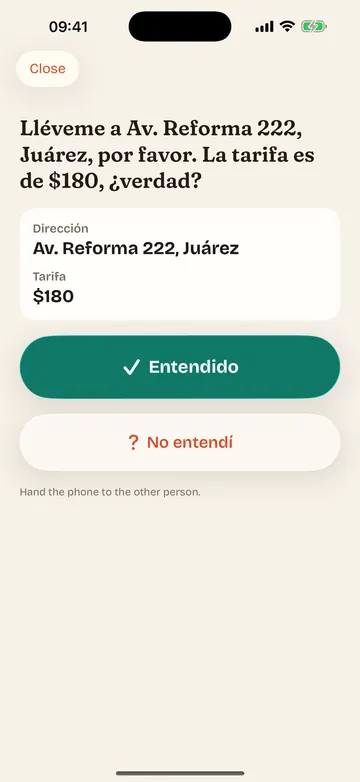
The screen splits in two, Parlavoz speaks for you, and the other person taps “Understood”.
See how it works →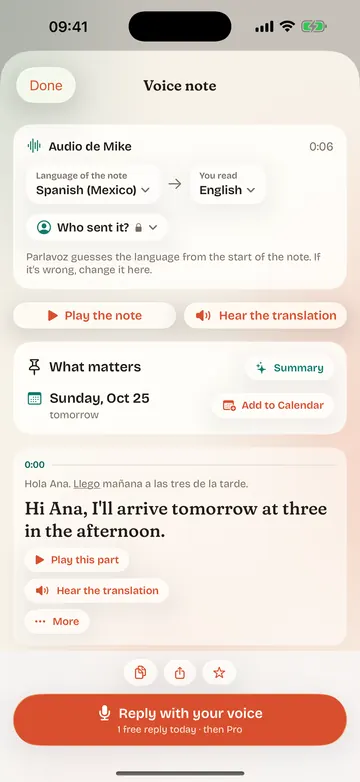
Voice notesFree
Share a voice note from your chat app, read it in your language and answer with your voice in theirs.
See how it works →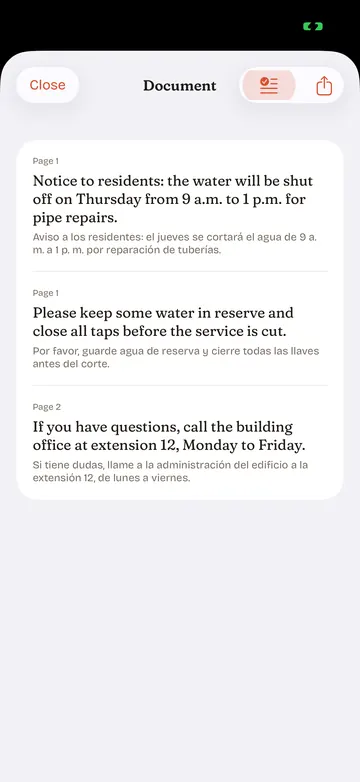
Screenshots, photos and PDFsFree
The group chat, the school letter, the lease. Share it and read it in your language.
See how it works →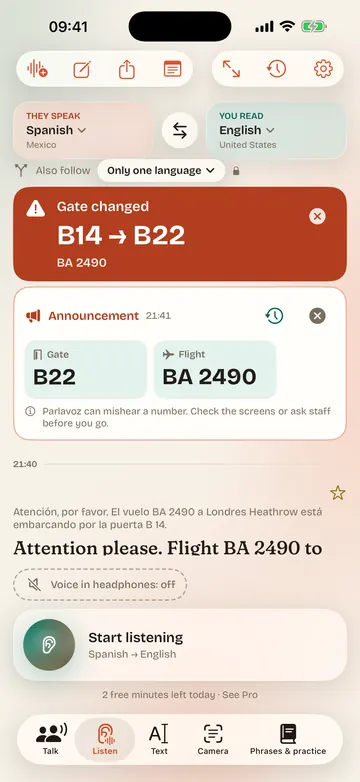
Listen: live captionsFree
A guide, a class, the TV or the gate announcement, captioned in your language.
See how it works →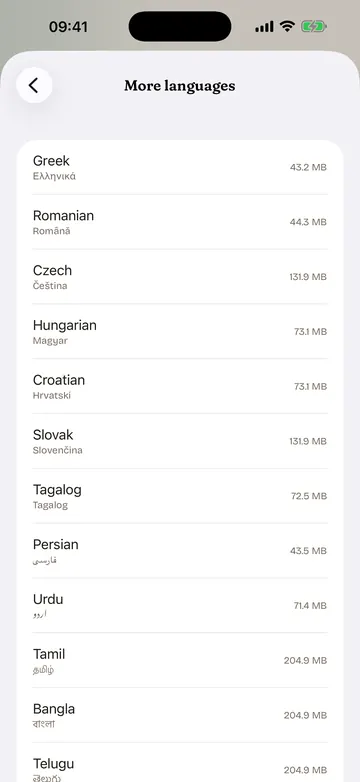
Works offlineFree
Translation and speech recognition run on the phone, with no roaming and no data.
See how it works →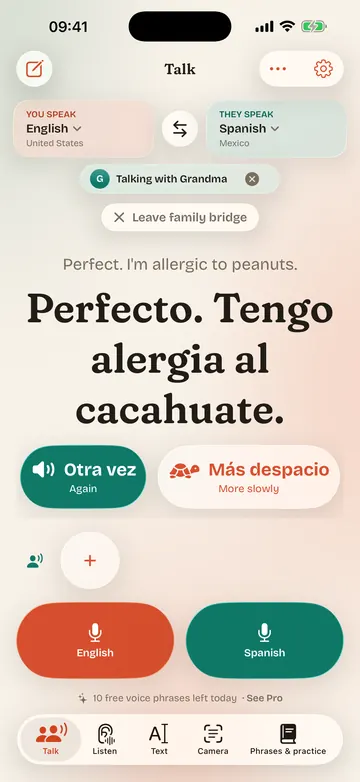
My cardFree
Allergies, medicines and conditions, ready to say in their language when the nurse asks.
See how it works →