 Parlavoz
An offline translator app that doesn’t need a signal
Download a language once and Parlavoz keeps working in airplane mode, in the metro, on a ship or abroad with your data turned off.
Free to download · No account · No ads
Why it works without internet
Parlavoz uses the translation and speech recognition that Apple builds into iOS. The language models live on your iPhone: the first time you use a language, it downloads from Apple, and after that nothing needs to leave the phone to be translated.
Two things follow from that. The translation is the same with or without signal, because it never depended on a server. And what you say, type or photograph isn’t sent anywhere to be translated: it stays on the phone, and Parlavoz has no account.
What works offline
| Feature | Without internet? |
|---|---|
| Face-to-face conversation | Yes |
| Text, camera, screenshots and PDFs | Yes |
| Voice notes from your chats | Yes |
| Listen (live captions) | Yes |
| Group table, nearby (QR code) | Yes, phone to phone over Wi-Fi and Bluetooth |
| Group table, far away (by link) | No, it uses the internet, sealed end to end |
| Downloading a new language | No, once per language |
Before you travel
- Open Parlavoz at home, on Wi-Fi.
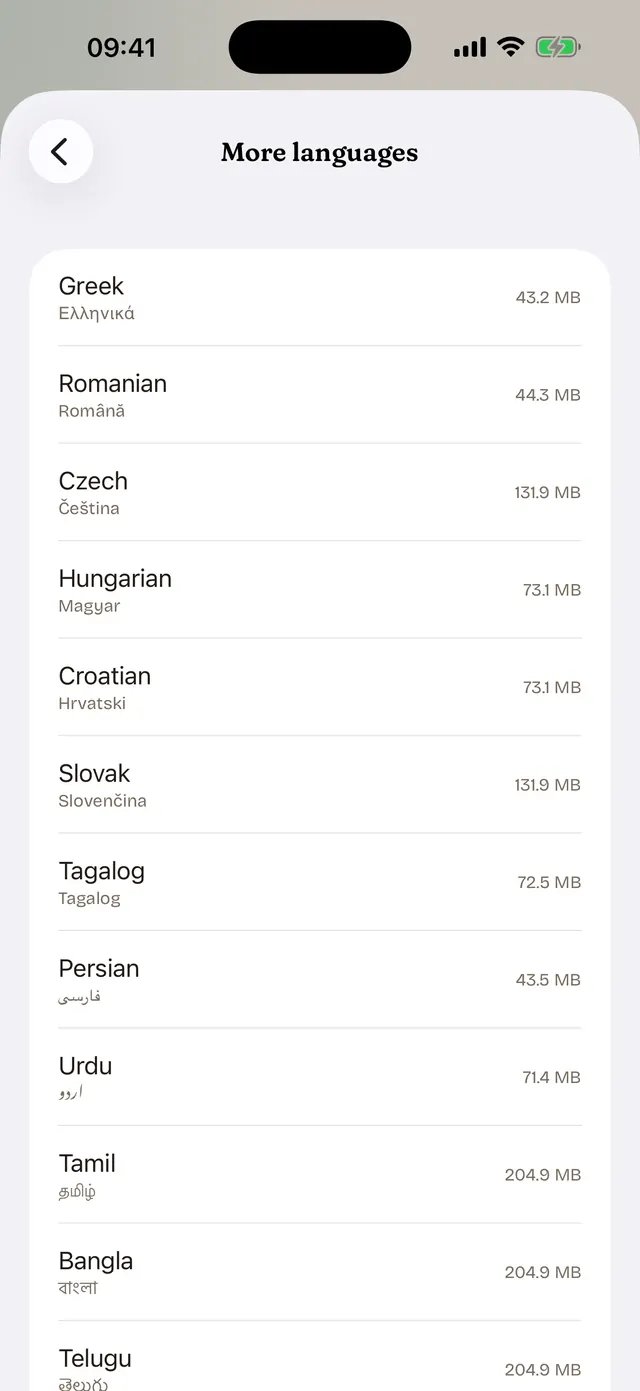
- Pick the languages you’ll need and let them download. Each one is shown with its size.
- Try a sentence in airplane mode. If it works there, it’ll work in the taxi.
Our guide on what roaming costs and how to avoid it has the numbers.
More languages, also offline
On iPhone and iPad, Parlavoz adds languages Apple doesn’t translate yet with Mozilla’s open translation models, the ones Firefox uses, also running on the device. Greek, Romanian, Czech, Hungarian, Croatian and Slovak can be spoken and heard. Tagalog and Urdu are understood when spoken once you download an extra voice. Persian, Tamil, Bengali, Telugu and Gujarati work in writing.
Mozilla’s translation can be less precise than Apple’s, and Parlavoz labels it every time so you know which one you’re reading. See all languages.
All features
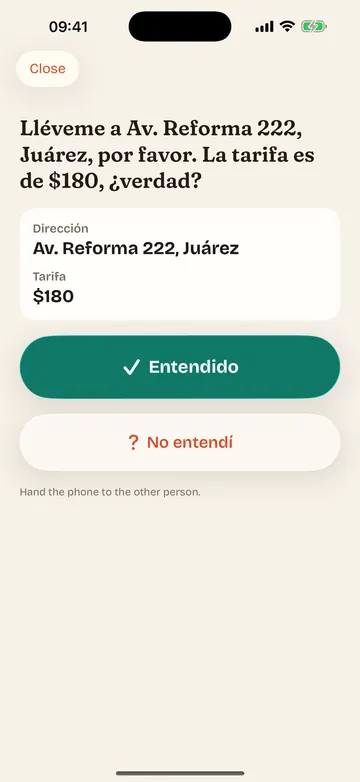
Face-to-face conversationFree
The screen splits in two, Parlavoz speaks for you, and the other person taps “Understood”.
See how it works →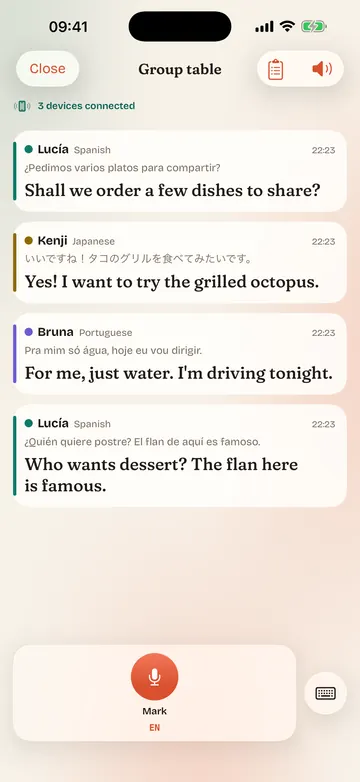
Group tablePro
Up to eight phones in one conversation. Each person reads and hears it in their language.
See how it works →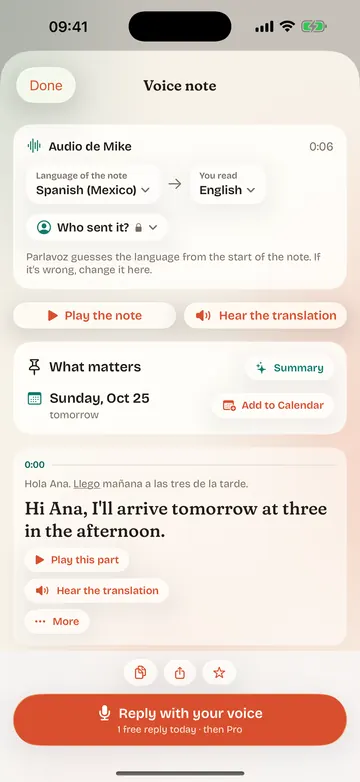
Voice notesFree
Share a voice note from your chat app, read it in your language and answer with your voice in theirs.
See how it works →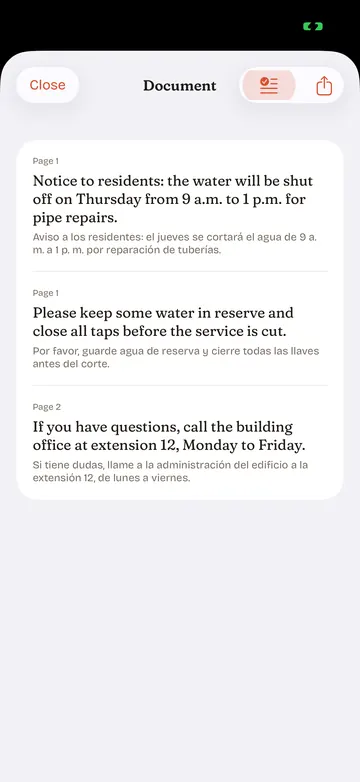
Screenshots, photos and PDFsFree
The group chat, the school letter, the lease. Share it and read it in your language.
See how it works →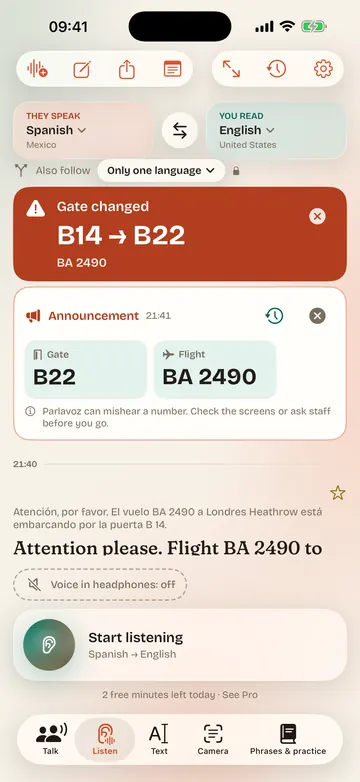
Listen: live captionsFree
A guide, a class, the TV or the gate announcement, captioned in your language.
See how it works →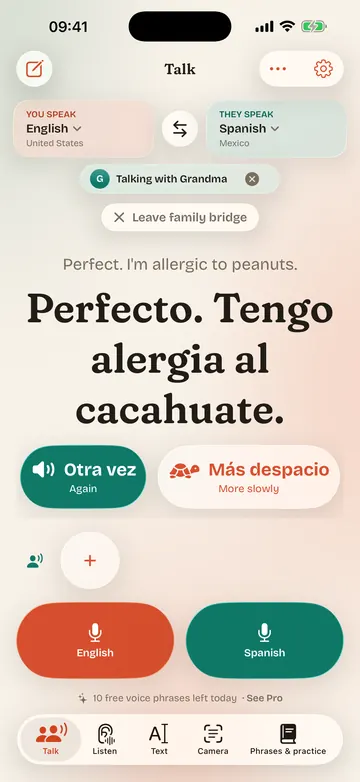
My cardFree
Allergies, medicines and conditions, ready to say in their language when the nurse asks.
See how it works →