 Parlavoz
An offline voice translator, and you know they understood
Put your phone on the table between you. Each person reads their half in their own language, Parlavoz says it out loud, and the other person taps “Understood” under your sentence. The price and the time you said stay confirmed.
- Works without internet
- No account
- No ads
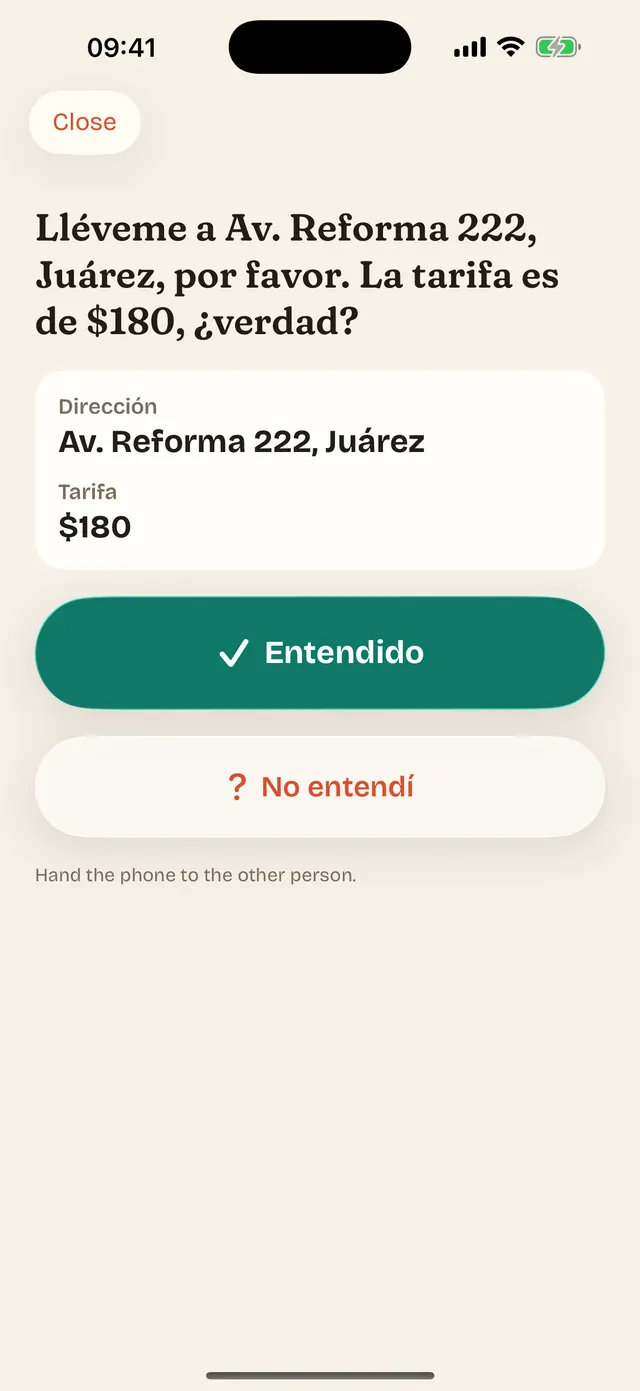
Their half of the screen faces them
Most translators make you turn the phone around after every sentence. Parlavoz splits the screen: your half faces you, theirs is upside down so it reads right from across the table.
You talk. Parlavoz translates on the phone and reads it aloud in their language. With Pro it notices who is speaking, so nobody touches anything between turns. On the free plan you tap once and say your sentence.
Numbers get extra care. Fifteen and fifty sound alike in a noisy street, so Parlavoz also says them digit by digit. If the other person taps “I didn’t get it”, it says your sentence again, slower.
✓ Entendido
✓ They confirmed 11:00 and 3:00
The moments where a wrong word costs you
A phrasebook gets you a coffee. These are the conversations where you need to leave sure of what was agreed.
“To Reforma 222, please. It’s $180, right?”
✓ Address and fare confirmed“Checkout at 11, and the bag stays until 3.”
✓ Both times confirmed“One tablet every 8 hours, for 5 days.”
✓ Dose read back to youAt the end, “So, we agreed on…” reads back what was confirmed, in both languages. With Pro you keep it as a PDF or an image to send.
One app for the whole trip, and for life at home
Parlavoz started as a conversation translator. It now covers the other places where a language gets in the way: the voice note from the landlord, the letter from school, the gate announcement at the airport.
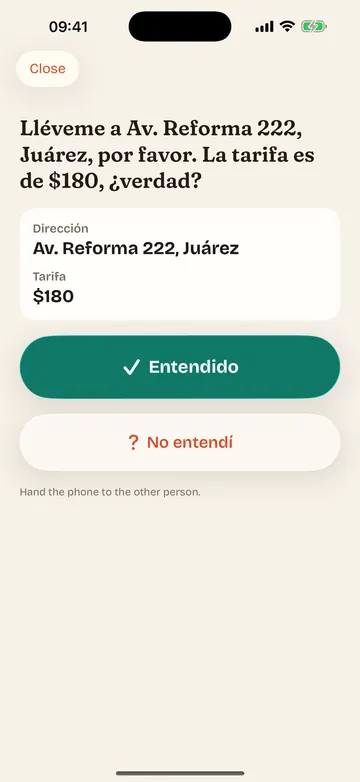
Face-to-face conversationFree
The screen splits in two, Parlavoz speaks for you, and the other person taps “Understood”.
See how it works →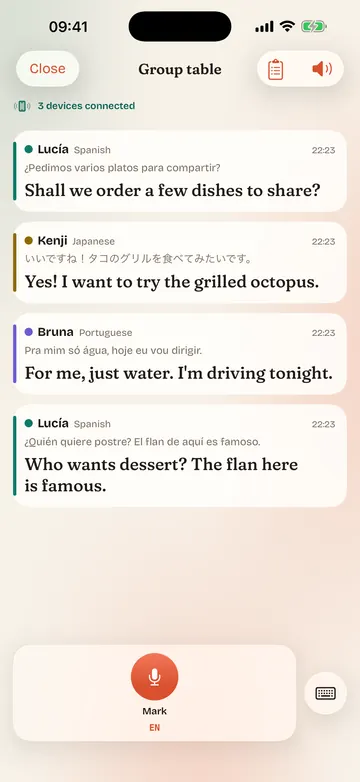
Group tablePro
Up to eight phones in one conversation. Each person reads and hears it in their language.
See how it works →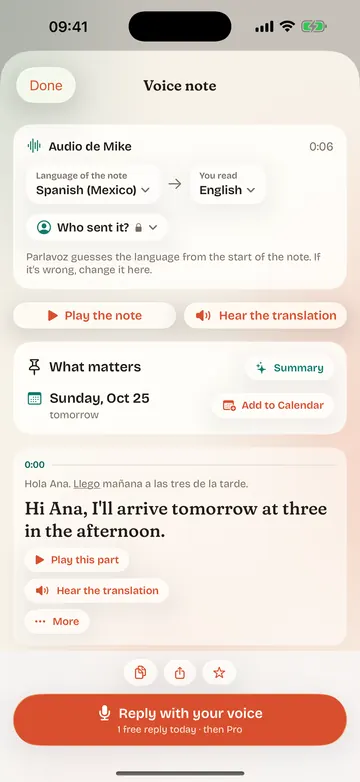
Voice notesFree
Share a voice note from your chat app, read it in your language and answer with your voice in theirs.
See how it works →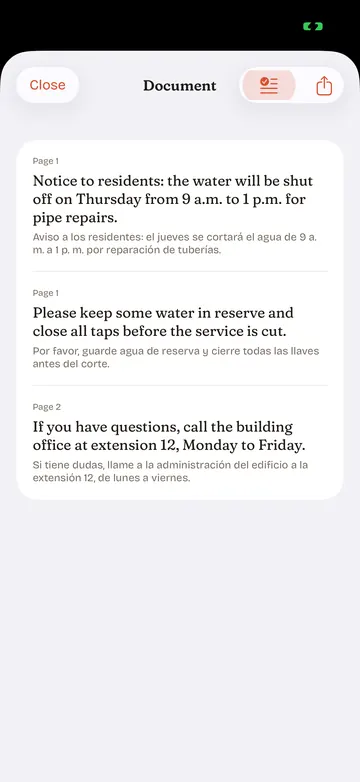
Screenshots, photos and PDFsFree
The group chat, the school letter, the lease. Share it and read it in your language.
See how it works →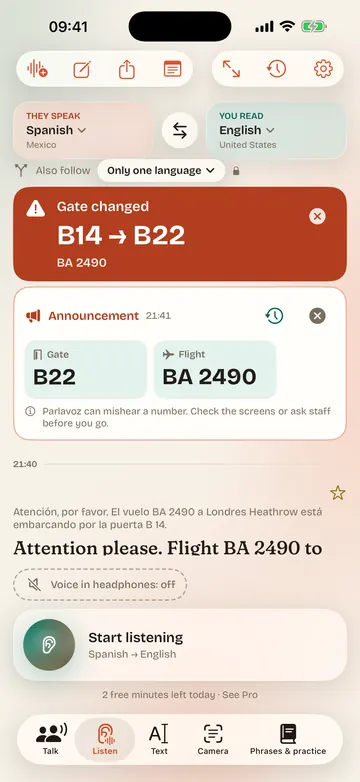
Listen: live captionsFree
A guide, a class, the TV or the gate announcement, captioned in your language.
See how it works →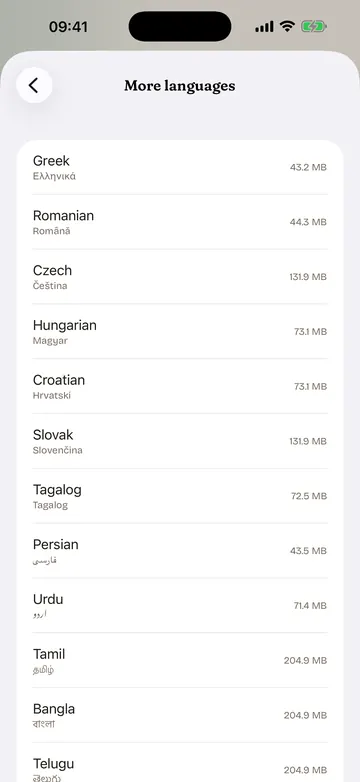
Works offlineFree
Translation and speech recognition run on the phone, with no roaming and no data.
See how it works →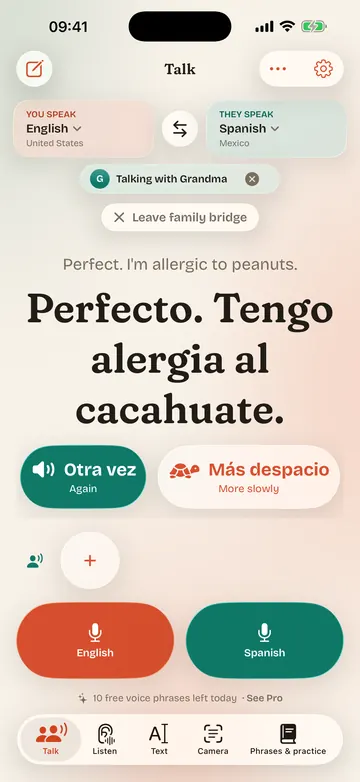
My cardFree
Allergies, medicines and conditions, ready to say in their language when the nurse asks.
See how it works →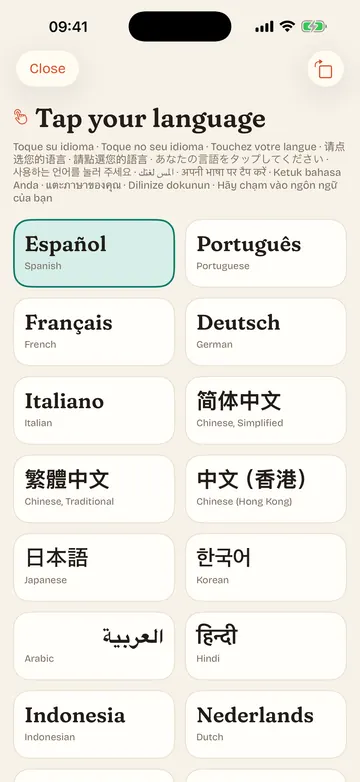
Counter mode for businessPro
For a clinic, a hotel or a shop. Each customer taps their language and nothing is saved.
See how it works →
I’m going to…Free
24 countries: the phrases you’ll need, emergency numbers and a countdown to the day you leave.
See how it works →Practice EnglishFree
The doctor, the school, the landlord, the job site. A few minutes a day, out loud.
See how it works →Nothing you say leaves the phone
Parlavoz uses Apple’s translation and speech recognition inside your iPhone. There is no Parlavoz server, no account and no ads.
That has a second effect people notice abroad: download a language once and it keeps working in airplane mode, in the metro and on a roaming plan you’d rather not touch. The translation is the same with or without signal, because it never depended on it.
Parlavoz also doesn’t use a chatbot to translate. What you say is what gets translated: no added words, no polished version of your sentence.
Ready in three steps
Pick the two languages
Or hand the phone over and let them tap their own language. It’s shown in their script, so they find it even if you can’t read it.
Download them once
Each language comes from Apple the first time, on Wi-Fi if you can. After that it works with no connection.
Talk
Put the phone between you. Watch for the “Understood” under your sentence, and go back to it any time in your history.
Free every day. Pro when it matters.
Free
For everyday moments
- 10 spoken sentences a day
- 3 voice notes and 3 screenshots a day
- 2 minutes of captions a day
- Text, camera, phrases and My card with no limit
- Emergency numbers for 24 countries
Pro
Yearly, with Family Sharing
- Hands-free conversation, no daily limit
- The group table, up to 8 phones
- Voice notes up to 30 minutes, captions as long as you need
- Screenshots and PDFs up to 50 pages, no limit
- Agreement card, counter mode, doctor and pharmacy cards
Trip Pass
Everything in Pro for 14 days
- Paid once, never renews
- Nothing to cancel when you’re back
- Made for one trip, one move, one hospital stay
Prices in US dollars. The App Store shows the price for your country.
What a language barrier really costs
Practical guides with real numbers: roaming bills, hospital visits, school letters and the jobs where a misunderstanding is dangerous.
AirPods Live Translation: requirements, languages and how to use it
Which AirPods and iPhones have it, the languages, the steps, and a checklist for when it won’t start.
Read the article →How toHow to translate a phone call in real time on iPhone
During the call, More › Live Translation. Which iPhones have it, which languages, and what to do if yours doesn’t.
Read the article →How-toHow to translate a WhatsApp voice message on iPhone
Two taps from the chat, sentence by sentence, without uploading the audio to a website. And how to answer in their language.
Read the article →Before you download
Does the other person need the app?
No. In a face-to-face conversation everything happens on your phone; they just read their half and tap “Understood”. The group table is different: each person joins with their own phone, and only the person who opens the table needs Pro.
Does Parlavoz really work without internet?
Yes, once the languages are downloaded. Translation and speech recognition run on the iPhone with Apple’s own models. The only part that uses the internet is a group table with someone far away, who joins with a link you send.
Which languages does it speak?
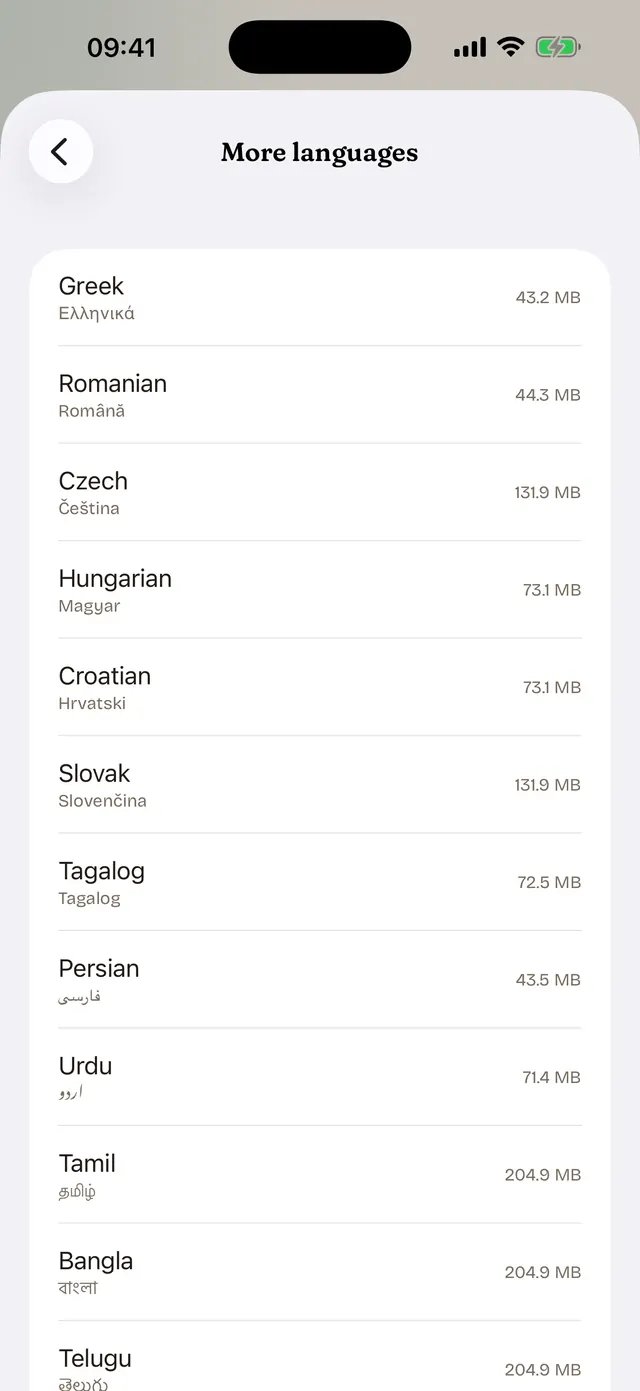
The languages Apple translates on your device, such as English, Spanish, French, German, Italian, Portuguese, Chinese, Japanese, Korean, Arabic, Hindi, Russian, Turkish, Vietnamese and Thai, plus more with Mozilla’s open translation on iPhone and iPad. See the full list.
Can it translate phone calls?
No. Parlavoz is for conversations in person, voice notes, screenshots, documents and what you hear around you. It doesn’t listen to calls. For calls, the iPhone has its own translation: how to use it, and which iPhones have it.
Can I download it yet?
Not yet. Parlavoz is finished and waiting for Apple’s approval to go live on the App Store. Leave your email and we’ll write once, the day it’s out.
Is it good enough for a doctor’s appointment?
It helps you say the basics and keep your allergies and medicines ready in their language. For a diagnosis, consent or anything serious, ask for a professional interpreter: in US hospitals it is usually your right, at no cost. More on that here.