 Parlavoz
A real-time conversation translator that checks they understood
Two people, two languages, one phone on the table. You talk, Parlavoz translates on the phone and says it out loud. Then the other person confirms the part that matters.
Free to download · No account · No ads
How it works
Open Talk and pick the two languages. If you don’t know theirs, hand them the phone: “Tap your language” lists every language in its own script, so a Korean speaker finds 한국어 without you having to.
The screen splits in two. Your half faces you; theirs is upside down so it reads right from across the table. You speak, Parlavoz writes what it heard, translates it and reads it aloud in their language. They answer, and it comes back in yours.
- Free: tap the microphone, say one sentence, and it translates when you stop. 10 spoken sentences a day.
- Pro, hands-free: leave it listening. Parlavoz notices who is speaking and nobody touches the screen between turns. While someone is still talking, a first translation shows in gray and the final one replaces it.
- One microphone per person: in a noisy place, switch to a button for each side. Hold the phone closer to whoever is talking.
“Understood”: the step most translators skip
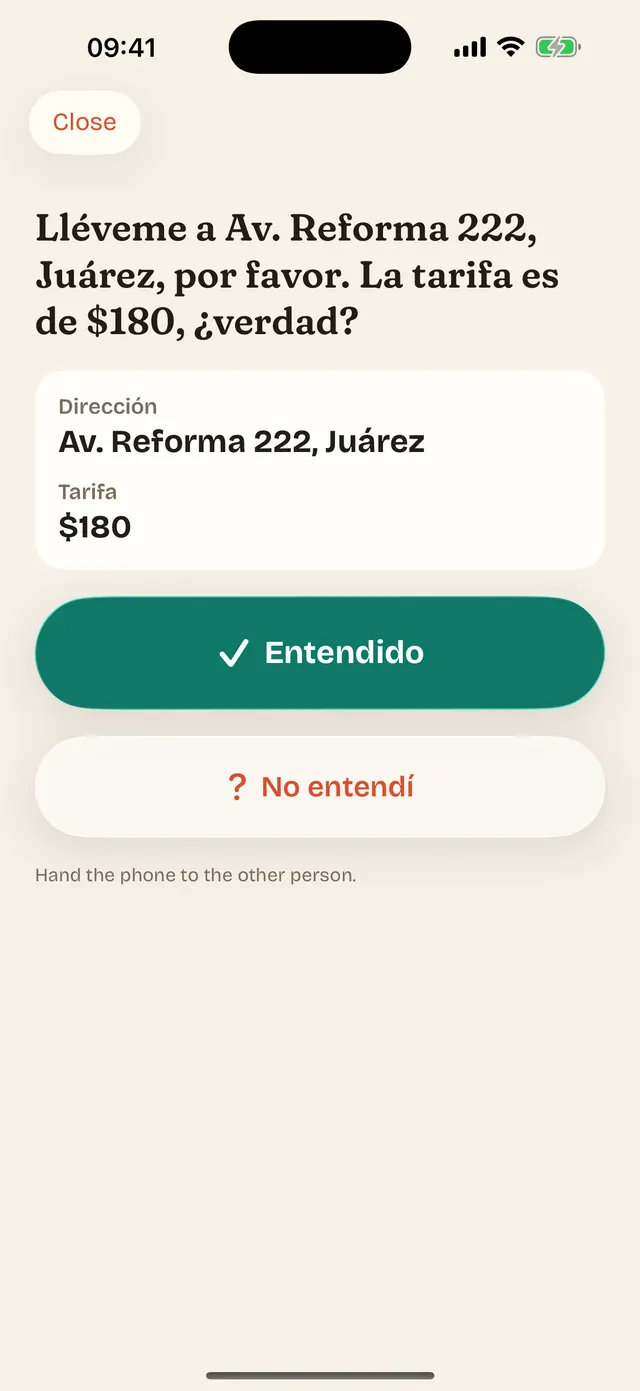
A translator can be perfect and the conversation can still go wrong. The driver heard “fifty”, you said “fifteen”. The pharmacist said every eight hours and you wrote every six.
Under your sentence, the other person taps Understood or I didn’t get it. If they got it, the time, the price or the address you said is marked as confirmed on your half. If they didn’t, Parlavoz says it again, slower. Numbers that sound alike are also read digit by digit.
At the end, So, we agreed on… reads back everything that was confirmed, in both languages. With Pro, the agreement card saves it as a PDF or an image you can send to the hotel, the landlord or your own family.
Translated as you said it
Parlavoz uses Apple’s translation engine on your iPhone, not a chatbot. It doesn’t add words, change the tone or improve your sentence. That matters more than it sounds: when you say “I think it was Tuesday”, you want “I think”, not a confident “It was Tuesday”.
Talking with family
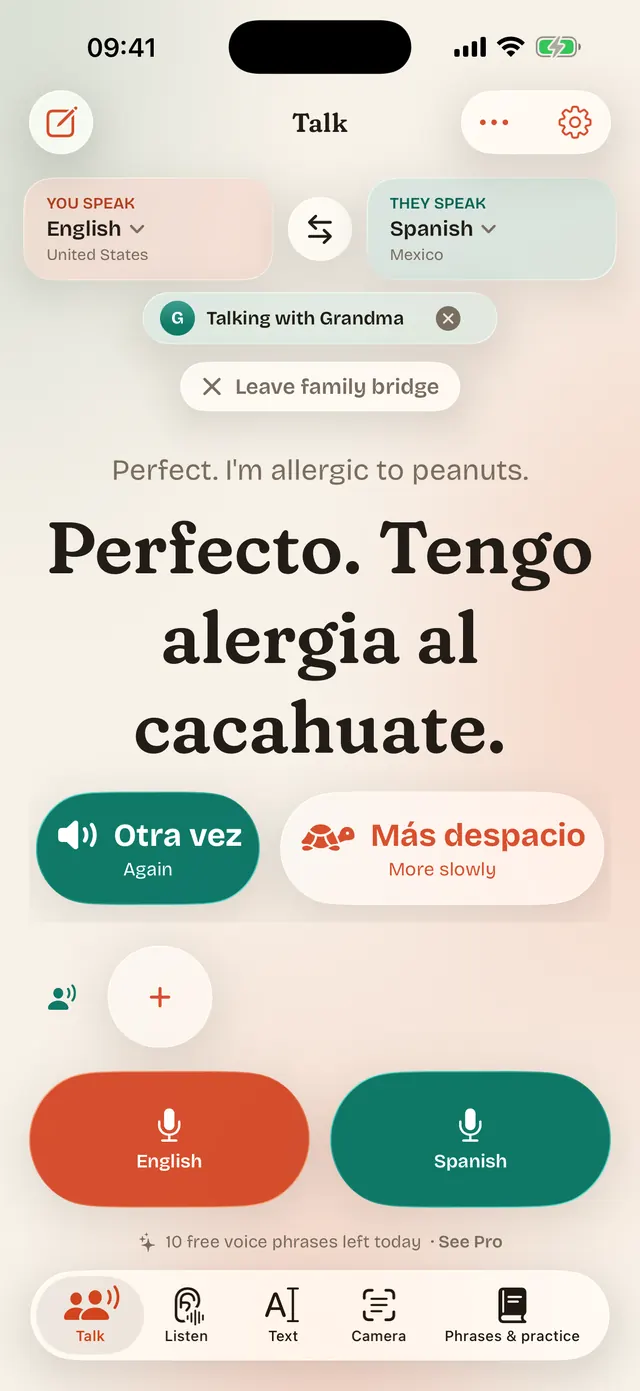
For the grandmother who only speaks Spanish, or the in-laws on a video visit, the family bridge shows the sentence big on screen with Again and Slower buttons. It’s the same conversation, made for people who are patient with each other and just need the words. More on that in when grandparents and grandkids don’t share a language.
How to translate a conversation in real time on iPhone
There are three ways, and each one is good at something different:
- Apple’s Translate app. It comes with the iPhone and it’s free. In its conversation tab you speak and the translation shows on screen and out loud. For a quick exchange, start there.
- Live Translation with AirPods. You hear the other person translated in your AirPods. It needs supported AirPods and an iPhone with Apple Intelligence (iPhone 15 Pro or newer). Requirements, and why it sometimes doesn’t work.
- Parlavoz. For when being understood matters: the split screen, the other person’s “Understood”, numbers said digit by digit and a summary of what you agreed. It works on any iPhone with iOS 26, with no internet.
Is the conversation a phone call? The iPhone does that itself: how to translate a phone call in real time.
What you need
- An iPhone or iPad with a recent iOS. Parlavoz also runs on Mac and has an Apple Watch app.
- The two languages downloaded once. After that, no internet needed.
- For the hands-free mode, a quiet-enough place. In a loud bar, use one microphone per person.
Thinking about a pocket translator instead? We did the two-year math.
Parlavoz doesn’t translate phone calls. It’s made for people in the same place.
All features
Group tablePro
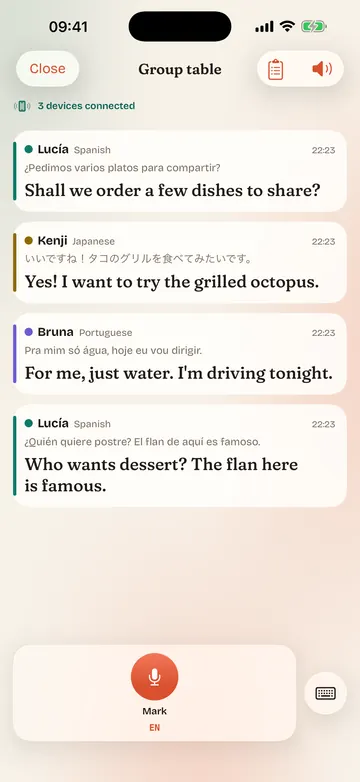
Up to eight phones in one conversation. Each person reads and hears it in their language.
See how it works →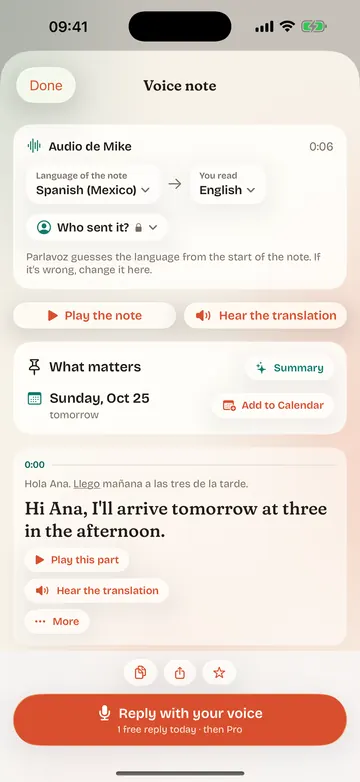
Voice notesFree
Share a voice note from your chat app, read it in your language and answer with your voice in theirs.
See how it works →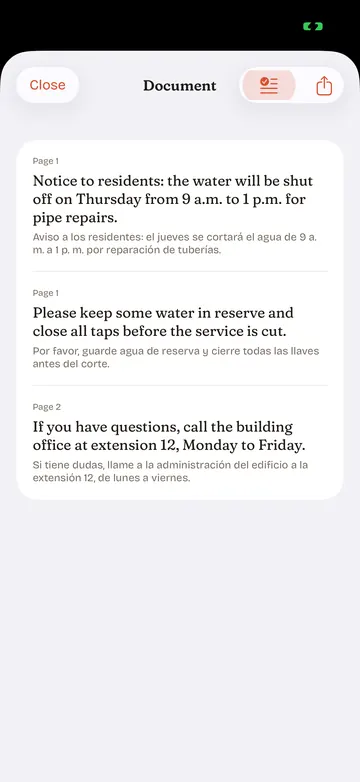
Screenshots, photos and PDFsFree
The group chat, the school letter, the lease. Share it and read it in your language.
See how it works →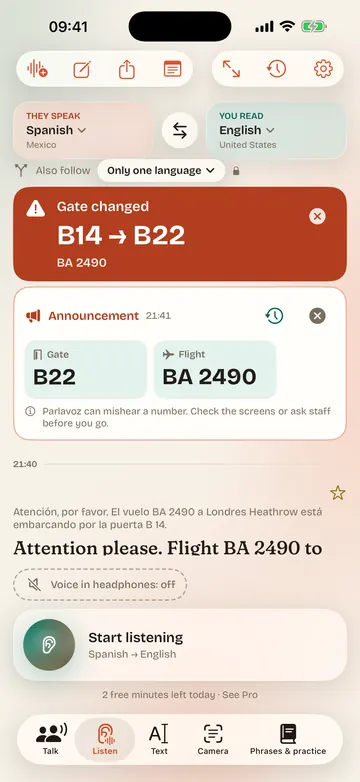
Listen: live captionsFree
A guide, a class, the TV or the gate announcement, captioned in your language.
See how it works →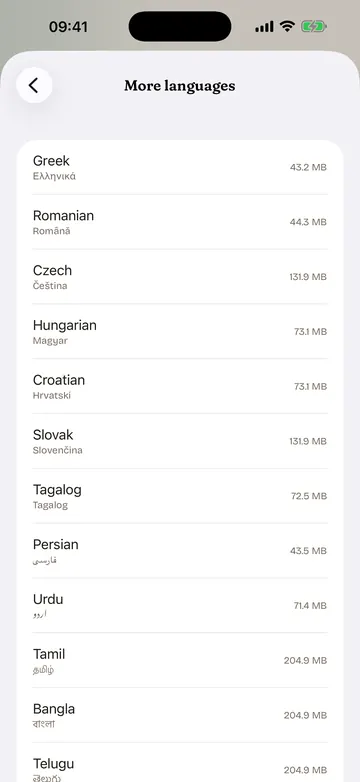
Works offlineFree
Translation and speech recognition run on the phone, with no roaming and no data.
See how it works →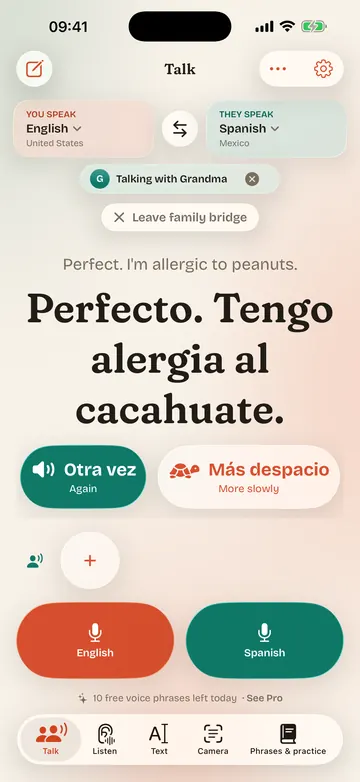
My cardFree
Allergies, medicines and conditions, ready to say in their language when the nurse asks.
See how it works →